
Managing AI-powered features
Overview
Ortto offers AI-powered features throughout the platform to help you work more efficiently and make smarter marketing decisions. However, you have full control over whether these features are enabled for your account.
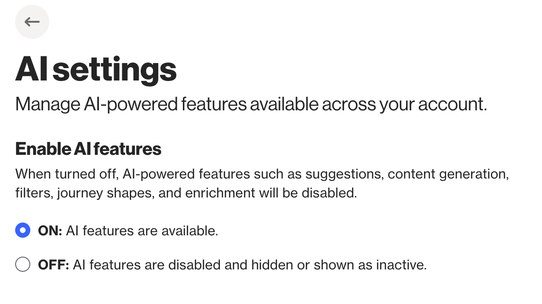
The AI settings page allows you to manage all AI-powered features from a single location, giving you the flexibility to enable or disable AI functionality based on your organization's preferences and requirements.
What are the AI-powered features in Ortto?
Ortto’s AI features include a range of capabilities, such as:
- Subject line recommendations
- Content generation suggestions
When AI features are enabled, these tools are available throughout your account wherever applicable.
Accessing AI settings
To manage AI features in your account, navigate to Settings > AI > AI settings. This page provides a centralized control for all AI-powered functionality across Ortto.
Why disable AI features?
Organizations may choose to disable AI features for several reasons, including compliance with internal data policies, organizational preferences around AI usage, industry-specific regulations or requirements, or simply a preference to work without AI-assisted tools.
Ortto respects your organization's approach to AI and provides this setting to ensure you have complete control over how your account operates.