
Using UTMs for email surveys
Overview
Email clients are limited in the types of interactions they support, which makes it difficult to collect survey responses directly inside an email. One solution for this is to use links with UTM parameters, allowing you to capture responses based on which link a contact clicks.
By linking each survey option to a landing page that includes a unique UTM value, you can track responses through click activity and use that data for reporting, segmentation, and follow-up.
Using UTMs
Because email clients don’t support form inputs or advanced interactions, surveys need to be simple and click-based. UTM parameters solve this by turning each response option into a tracked link.
When a contact clicks a link:
- The click is recorded
- The UTM parameter is captured
- The value represents the response they selected
This makes UTMs a reliable way to collect lightweight feedback without leaving the email environment.
Setting up survey response links
To create a survey, start with a single destination URL like a confirmation landing page. Each response option in the email links to that same page, but with a different UTM parameter value appended.
For example, if you’re running a day-of-the-week survey, each option could link to:
https://www.domain.com/?utm_day=mondayhttps://www.domain.com/?utm_day=tuesday
With these URLs, you can then hyperlink either the text or buttons that you'd like to use in the email body for your survey.
In this setup:
- The base URL stays the same
- The
utm_dayparameter captures the selected response - Each click represents one vote for that option
TIP: If needed, you can utilize Ortto's landing pages for this confirmation page.
Learn more about creating a landing page in Ortto.
Reporting
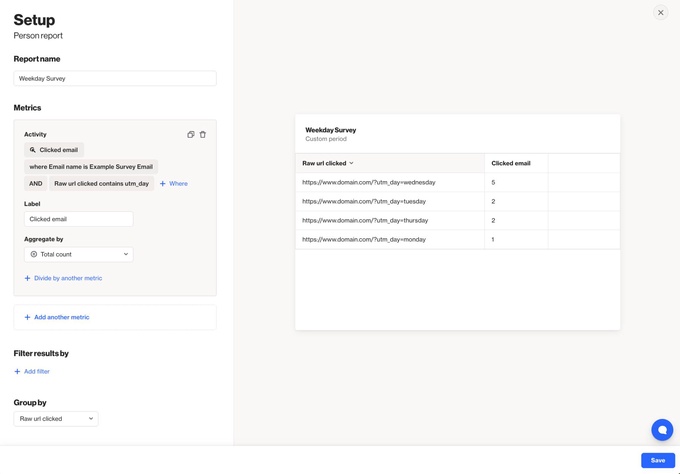
After the campaign has been sent, you can either use the native Report tab to view the click activities or create a custom table report dedicated to the survey links.
For a custom report, you can select Analytics > Reports > + New Report.
Below is an example of how the table report can be configured to isolate the URL clicks of interest:
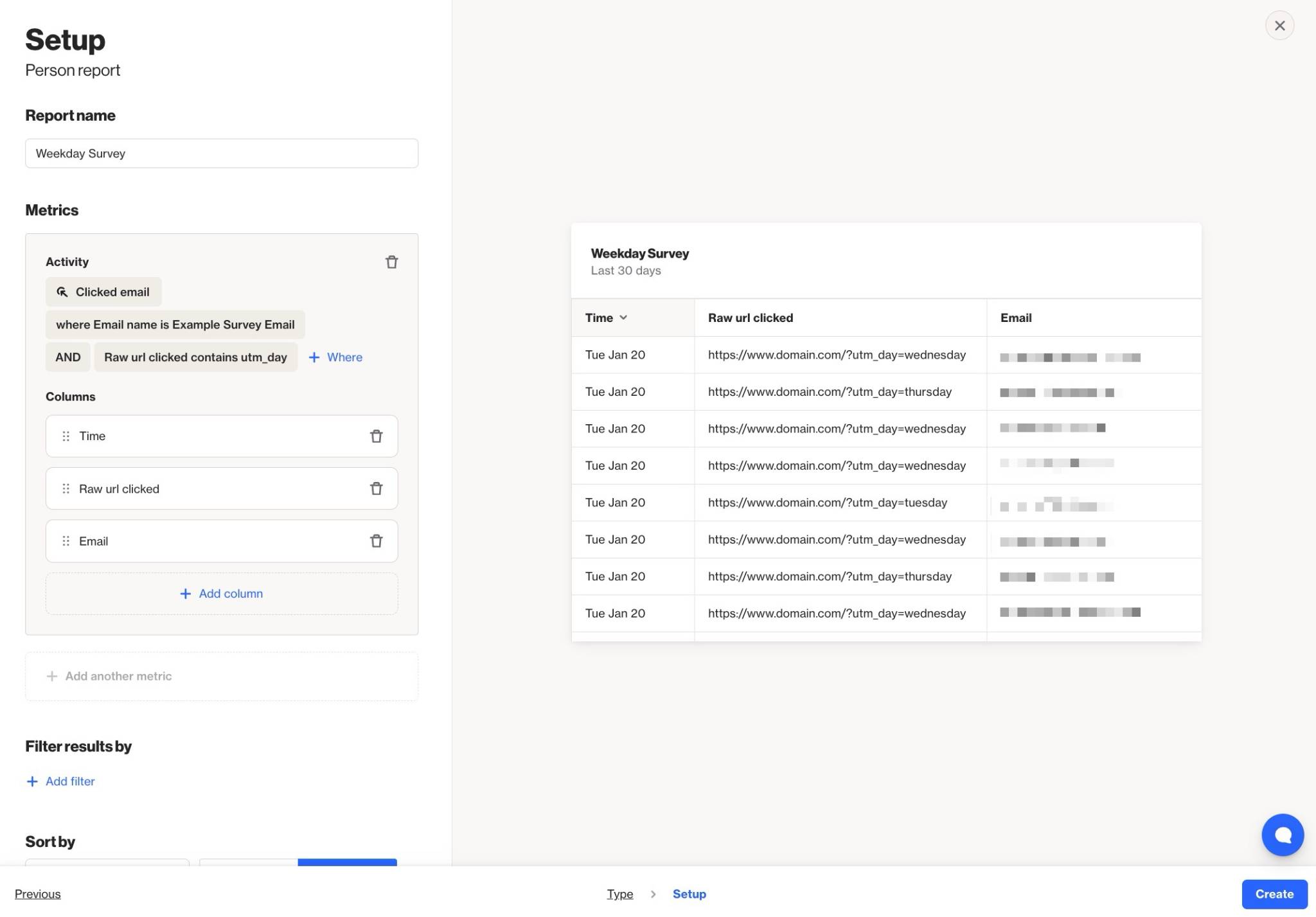
If you'd like to review individual responses, you can otherwise use a ledger report for the itemization of those click activities for each contact.
Learn more about creating a new report.