
Journey split shapes
Overview
Split shapes allow users to divide their journey into different paths based on percentages.
Accessing Journey split shapes
To access Journey filters, go to Marketing > Campaigns > Select your Journey > Edit > + > Split.
Percentage split shape
You can divide your journey into different paths based on percentages, controlling how many contacts take the left or right routes. The split works on probability with a leveling approach.
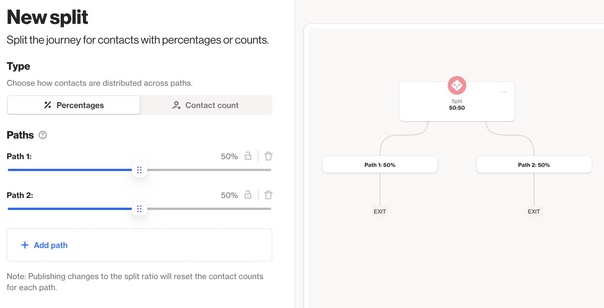
EX: In a 75/25 split, the first time a person enters the shape they are randomly assigned to a path based on the given probabilities. If the person went down the right path (25), Ortto will then ensure the next three people that enter the split will go down the left path (75) to ensure the ratio is 3:1.
The split shape continuously balances random entries with leveling decisions, ensuring the correct ratio is maintained, no matter the size of your audience.
Contact count split shape
The contact count split shape is a feature in Ortto journeys that allows you to direct a specific number of contacts down each branch of a split, instead of distributing them by percentage. This gives you precise control over how many contacts are routed through each path in your journey.
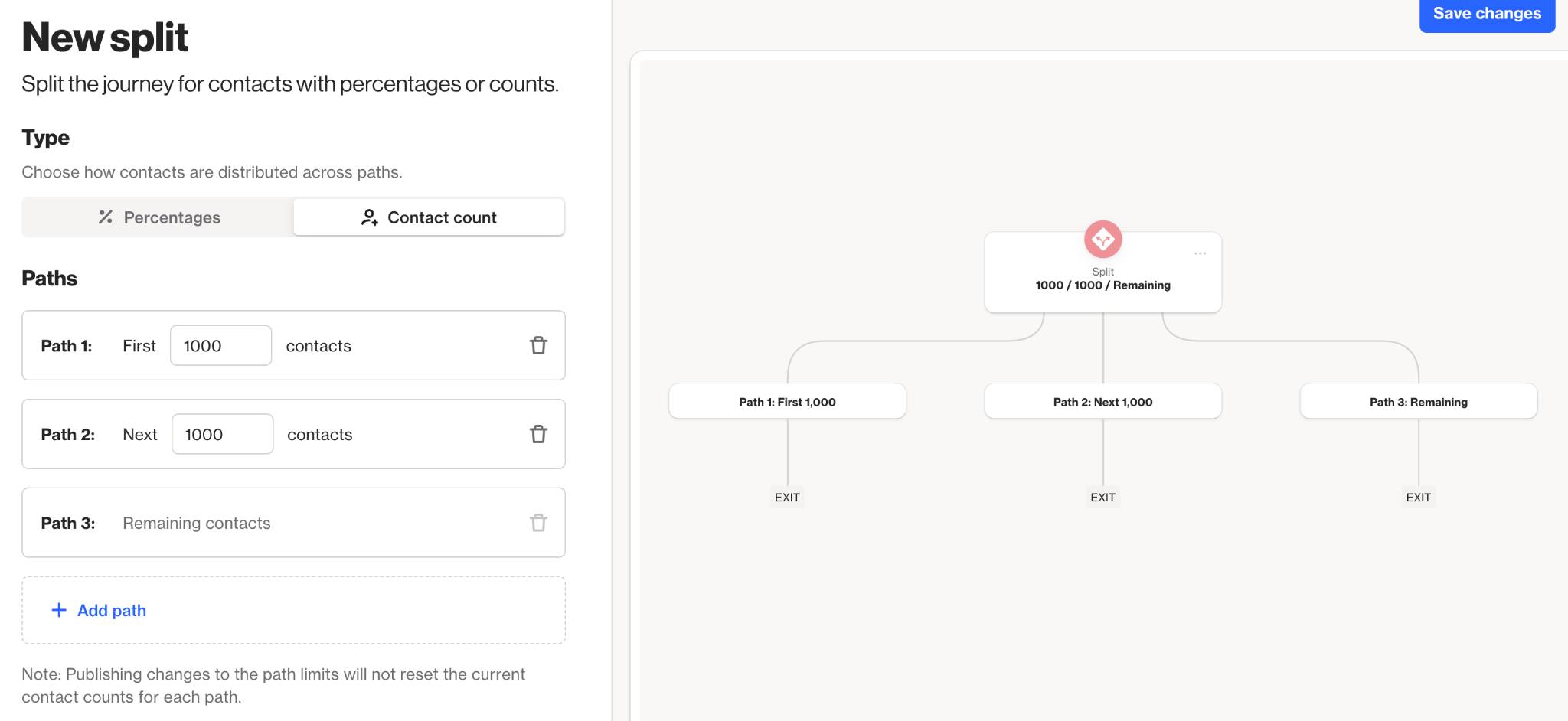
When you add a split shape to your journey, you can now choose the contact count option. This lets you specify the exact number of contacts for each branch. For example, you could configure the split so that the first path receives 1,000 contacts, the second receives 2,000 contacts, and any remaining contacts are sent down a third path.
This means you are not restricted to even or proportional splits based on percentages. You can define the flow of contacts to match your campaign requirements more closely. For instance, if you have a limited inventory for a special offer, you could ensure only a set number of contacts receive that offer.
EX: If you specify 500 contacts for a path targeting VIP customers and another 1,500 for new signups, only the first 500 and 1,500 eligible contacts will proceed down those paths, respectively. Any further contacts will automatically be directed to the next available path, or the default path if all specified counts are met.
NOTE: The contact count split assigns contacts based on the order they reach the split. If your journey receives contacts in bursts, the allocation will go to the first arrivals. Also, if fewer contacts arrive than the total allocated across your paths, only the paths with available contacts will be used.
This feature is particularly helpful for use cases like sending special offers to a limited audience, capping the number of contacts for certain branches, or running controlled A/B tests with fixed group sizes.