
Hidden audiences in journeys
Overview
Hidden audiences are a behind-the-scenes feature in Ortto that control how and when people enter a journey. When you set up a journey with entry conditions, Ortto automatically creates a hidden audience that monitors who matches those conditions. This audience acts as the gatekeeper for entry into your journey.
Why hidden audiences exist
The main problem hidden audiences solve is preventing people from entering the same journey repeatedly just because they continue to match the entry criteria. Without this mechanism, Ortto would re-evaluate everyone against the criteria every few minutes, causing contacts who continuously match the conditions to re-enter the journey each time - usually not the behavior you want.
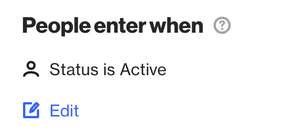
In the example condition above, without hidden audiences, the same contact could repeatedly enter the journey for as long as the Status field remained set to Active, which would not be desirable.
This system ensures each person only enters when they newly meet the criteria, not just because they still meet it.
How hidden audiences work
The behavior ultimately depends on whether the entry criteria use occurs or non-occurs conditions:
- For journeys with non-occurs entry conditions (such as matching a field value or a past activity having/having not occurred): An hidden audience is created and tracks people as they move from not matching to matching the criteria.
- For journeys with occurs entry conditions (for example, when a specific activity happens): Ortto does not create an hidden audience in this case. The journey tracks people in real time when the event occurs and does not rely on an hidden audience.
Examples
If you want someone to re-enter a journey that uses non-occurs entry conditions, there’s an important requirement: The person must first stop matching the criteria before they can re-enter.
Simply updating other fields or waiting for time to pass will not trigger re-entry. The hidden audience requires a transition: from not meeting to meeting the criteria.
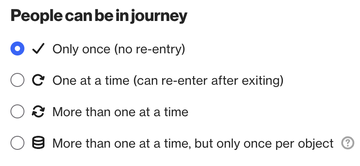
NOTE: Regardless of the entry criteria in place, a contact will only be eligible to re-enter if the People can be in journey allows it. In this case, re-entry is only possible if it is set to an option other than Only once (no re-entry):
Journey using a single non-occurs condition:
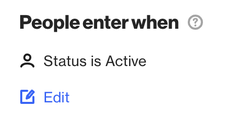
In the example above, if a contact has already entered the journey by matching the Status is Active condition, it will not be eligible to re-enter unless the Status first changes to a different value and then returns to Active.
Journey using more than one non-occurs condition:
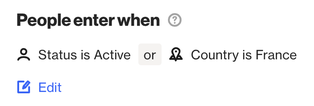
In the example above, if a contact has already entered the journey by matching either condition, the same contact will not re-enter even if it later matches the other condition.
For example, if the contact has already entered via the Country is France condition, it will not re-enter even if the Status changes to Active.
For the contact to re-enter in this case, the Country would first need to change to a different value and then back to France.
Journey using 'occurs':
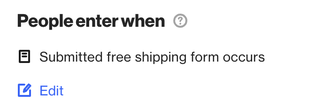
Entry criteria using occurs is an exception to the behavior described above. Occurs conditions are always evaluated in real time, meaning a contact can become eligible to re-enter whenever it triggers the entry activity.
Re-entering contacts into a journey
Learn more about how to re-enter people into a journey.
If in doubt, you can always reach out to our support team before making changes, and we’ll be happy to help.