Data discrepancy between dashboards and reports
Overview
It is not uncommon to notice differences between the data shown on an Ortto dashboard and what you see when viewing a report directly. These differences are usually not an indication that data is missing or incorrect, but rather a result of how dashboards and reports are configured, how report data is generated, and when a dashboard was last refreshed.
This article outlines the most common reasons for these discrepancies and what to consider when investigating them.
Common issues we identify
In most cases, discrepancies between dashboards and reports come down to one of three things:
- The timeframe a report is using on the dashboard differs from the report's own settings.
- The report on the dashboard is displaying a previous snapshot, while the report itself has since been updated.
- Or the dashboard has not been refreshed to reflect the latest data.
Dashboard timeframes can be configured per report
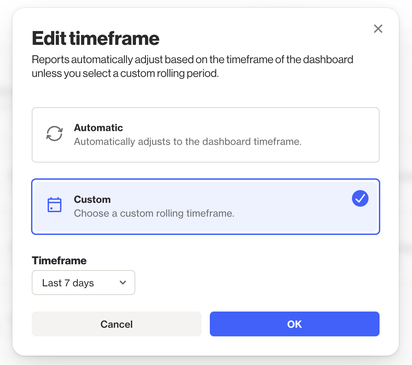
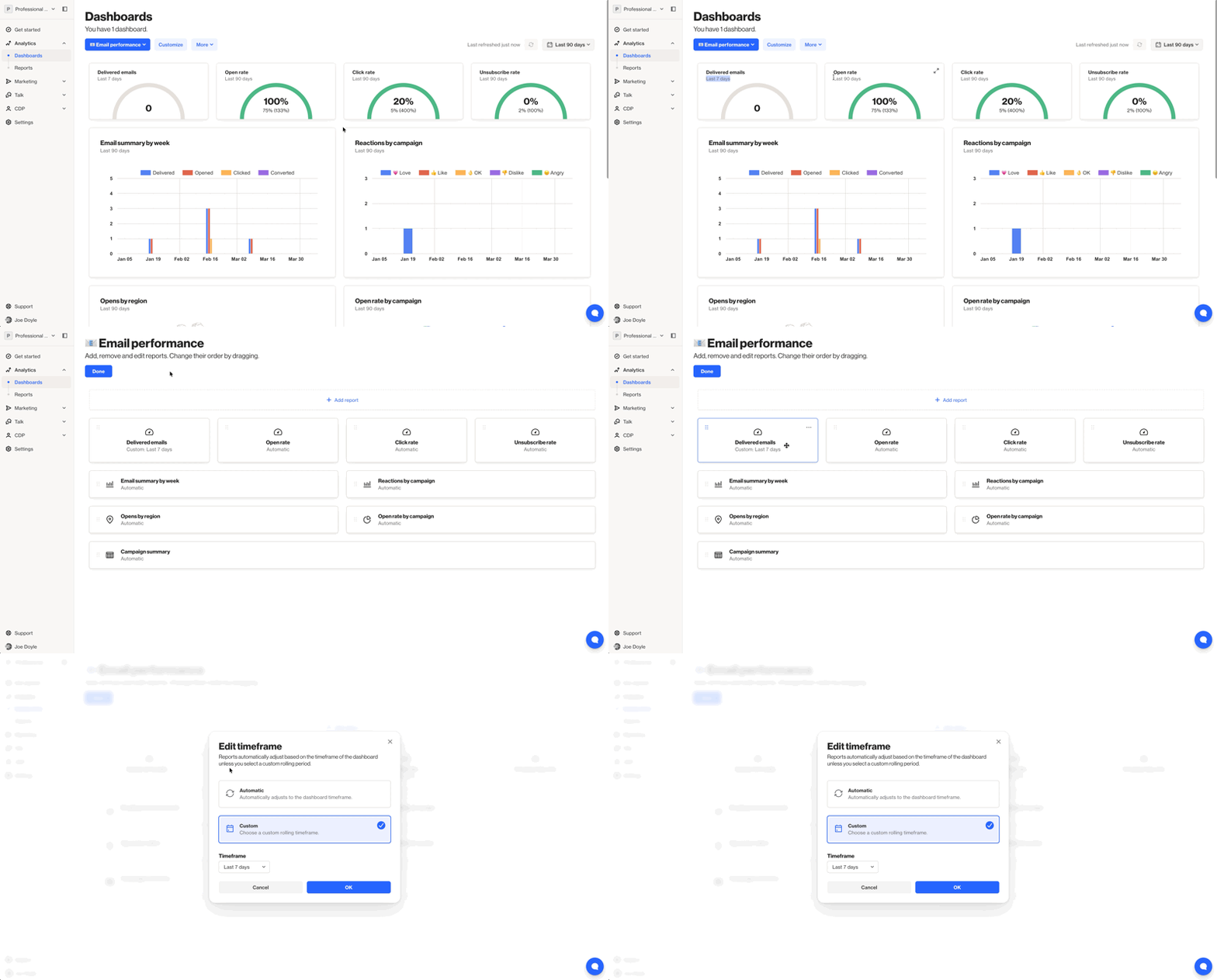
When a report is added to a dashboard, the timeframe it uses can be set independently of the dashboard's global timeframe. This means one report on a dashboard may be showing data for the last 7 days, while another is set to a custom date range or is following the dashboard-level timeframe setting.
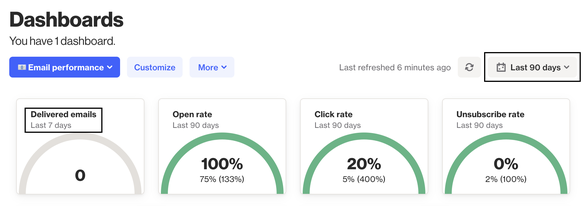
If the data in a report on your dashboard does not match what you see when opening the report directly, it is worth checking the timeframe configured for that report on the dashboard, as it may differ from the timeframe the report defaults to when viewed on its own.
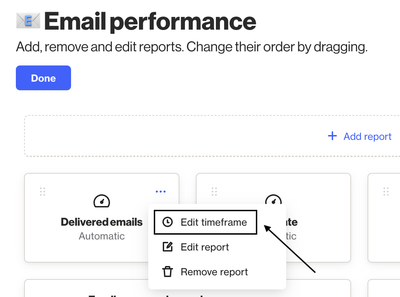
To access this:
- When viewing your dashboard, select Customize.
- Hover on your report, and click … for more options.
- Select Edit timeframe.
Reports can take time to update and regenerate
When a report is loading or has recently been triggered to refresh, the data it displays may not yet reflect the most current results. Depending on the volume of data the report is working with, regeneration can take some time to complete.
This is worth keeping in mind when comparing data between a dashboard and a report directly. If a report on your dashboard has not fully refreshed, it may still be showing an older snapshot of the data while the report itself has since updated, or vice versa.
To get the most accurate comparison, ensure both the dashboard and the report have been fully refreshed before drawing conclusions. It is also worth reviewing the other factors outlined in this article, as a combination of these can contribute to the discrepancies you are seeing.
Dashboard refresh affects what data is displayed
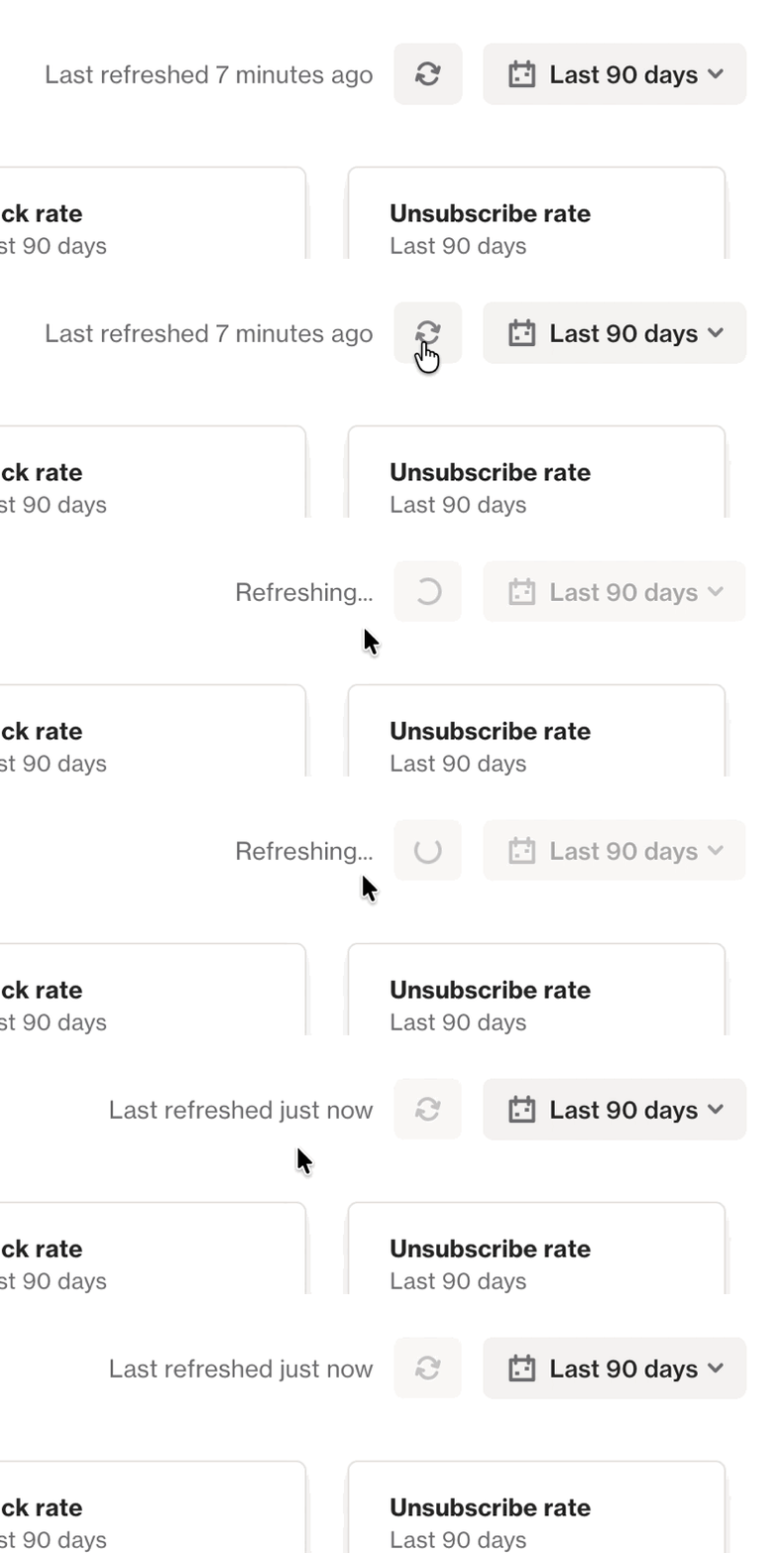
A dashboard refresh is caused by opening the dashboard initially or by clicking the refresh action.
NOTE: Dashboards can only be updated every 5 minutes.
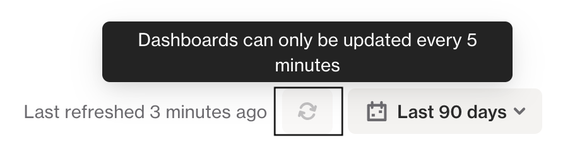
If you stay viewing a dashboard for a period of time, it would be suggested to refresh to ensure you're viewing the most up to date data.